
How to Test Live streaming on TeamSnap ONE
Test Live Stream Mode gives you a private, pressure-free way to check your setup before you go live for real. When you start a test stream, you're taken into the Test Game Zone — a screen that mirrors what you'd see during an actual game — so you can verify your video quality, camera framing, and connection without anyone on your team knowing.
Things to Know
- The stream is completely private — no team members are notified, and nothing appears in TeamSnap ONE for anyone else
- Stream data is discarded automatically when you end the test
- There's no time limit
- You can only run one test stream at a time per user
How to Start a Test Stream
You can get to Test Live Stream Mode from a few different places in TeamSnap ONE.
From the Home Screen
- Look for the Test Live Stream Card
- Tap it to jump straight into the Test Game Zone. If you dismiss the card, don't worry — you can always find Test Live Stream in your account menu (tap your avatar in the top-right corner).

From Your Schedule
When you have an upcoming game, you'll see a Test Live Stream Card near it on both your All Schedule and Team Schedule views. Tap it to get set up ahead of game day.

From the Game Zone (after a game)
If a game ended without a live stream, you'll see a prompt in the Game Zone encouraging you to give the test a try before next time.

From Your Account Menu
Tap your orange avatar in the top-right corner anytime, Test Live Stream will be there.

What to Check in the Test Game Zone
Once your test stream is running, the Test Game Zone provides a realistic view of the live experience
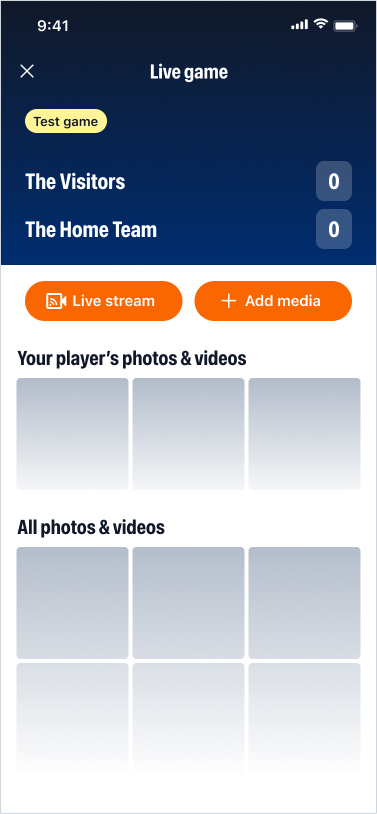
| What You'll See |
What It's For |
| Live Stream Viewer | Check your video quality and camera framing in real time |
| Score Display | Visible so the screen feels familiar — score editing works differently in a real game |
| Replays / Clips Area | Visible so you know where to find it — replays and clips are only created in real games |
| "Test Mode" Banner | Always shown so it's clear this isn't a live game |
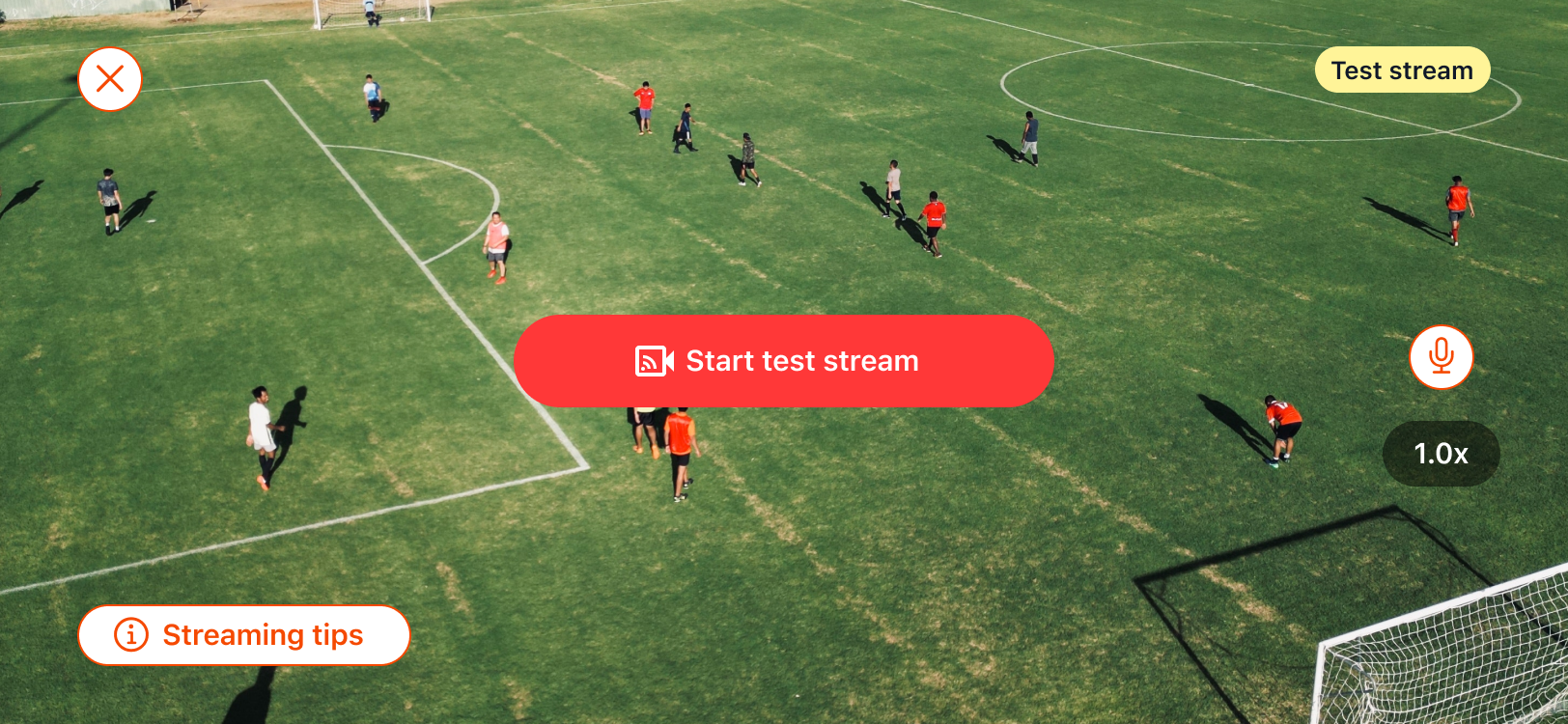
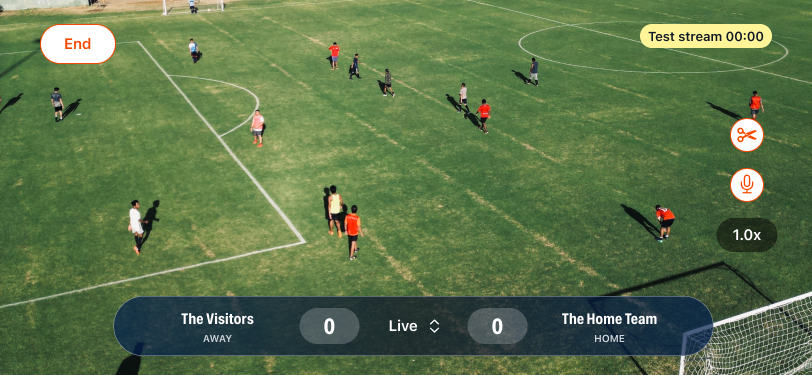
If you're using an External Camera via RTMP, you can view your stream in the Test Game Zone to verify your setup the same way.
Ending Your Test
When you're done, just end the stream. Everything is discarded automatically, and you're ready for game day. 🎥